AnimToolBox
A set of animation tools and automations addon for Blender.
Summary
| Latest Version | Unknown |
|---|---|
| License | Unknown |
| CI Status | Failing |
| Stars | 8 |
| Forks | 0 |
| Open Issues | 0 |
| Last Commit | 2025-05-19 |
| Downloads | 0 |
| Last Indexed | 2026-09-06 06:05 |
Installation
nimble install AnimToolBox
choosenim install AnimToolBox
git clone https://gitlab.com/dancingshapes/animtoolbox
OS Compatibility
| Platform | Linux | macOS | Windows | FreeBSD | OpenBSD | NetBSD | Android | iOS | WASM | Embedded |
|---|---|---|---|---|---|---|---|---|---|---|
| AnimToolBox | ✓ | ✓ | ✓ | - | - | - | - | - | - | - |
Source
| Repository | https://gitlab.com/dancingshapes/animtoolbox |
|---|---|
| Homepage | https://gitlab.com/dancingshapes/animtoolbox |
| Registry Source | gitlab |
README
AnimToolBox
A set of animation tools and automation addon for Blender.

Description
Animtoolbox is a new addon with a set of tools and workflows for animation in Blender.
TEMP CONTROLS
Bakes your selected bones/controls into a new temporary control rig with new controls which control the original selected controls in the original rig.
Bake Anim to Ctrls - are based on an older addon I wrote called bake anim to empties, however empties are not convinient when working with rig animations, since they are always in object mode and bones are working in pose mode. In this version you can also bake the animation of all selected controls to a new local temporary rig with the controls and the animation baked in world space. Instead of world space you can also use a parent bone based on the original rig bones, and also add child bones for extra control. This is used mostly for space switching technics. After doing all your adjustments in world space, quickly bake back to the original rig and the temporary rig will be removed.

Display Type - Select the shape of the control, If you have custom shapes in your original rig then you can use their original shape, otherwise you can select a custom shape.
Display Size - The size of the control. When using Original, then value of 1 will be the same size of the original rig custom shape
Frame Range - The frame range of the animation you want to bake into the new controls, the default value will use all the selected controls keyframes range.
Bake Location - Choose if you want to create the controls at the Head(base) of the bone, or the tail of the bone. Adding temp controls to the bones Head Location will assign transform constraints to the original selections, and adding temp controls to the tails position will assign track constraints to the original selections.
Constraint bones to Ctrls - contstrain the original bone selection back to the Temporary controls, or not.
Add extra child Ctrls - adds another controller as a child of the baked controls. This gives an extra layered control over the temp controls baked animation.
Add parent Ctrl - Adding an extra root bone for all the controls. It can be based on an object position or another bone. When using a bone the parent control will also bake the animation from the sampled bone.
If no bone nor object is selected, then the parent will be added at the cursor location.
Parent Ctrl on Cursor - Creates a temporary parent bone from cursor - used mostly for temproray pivot. Select your bone controls . position your 3D cursor and press on Parent Ctrl on Cursor. A control rig is created with a bone at the cursor position. All the selected bones are now linked to the bone with 'Child of' Constraints. Rotate and move the parent bone to use as a temporary pivot. When using the operator, a new property is created next to the operator. With this property you can turn off and on all the child of constraints.
Quick Bake Constraints - Quickly bakes the current temp controls back into the original rig and removes the temprorary setup.
Select Constrained Bones - Selects all the bones that are constrained to a temporary rig control
Cleanup - If you are not happy from the results you can always quickly remove of the empties or temporary rig setup.
ANIM TOOLS
Offset Keyframes -
Offsets all the keyframes of the selected bones. very usefull together with Bake Anim to Ctrls.
I will later make it also interactive so you can use a slider back and forth to try different offset amounts before applying.
Copy World Matrix - Copy and paste the world matrix of an object or a bone. It recalculates also child of constraints, so it will always go back to the same position in world space. Examp[les for Useful cases: - Fix sliding legs for cyclic animation that move with a root bone - When switching between different setups, and things start to jump around - align object with bones
Copy Relative Matrix - Works only with two selected bones or objects. Copy the distance between the selected object or bone to the active object/bone. go to a different frame or transformation of the active bone, select the first selected bone and paste. The object/bone will move into the same distance from the active object. This can be used instead of parenting, especially during animation blocking phase.
Sharekeys - select multiple bones or objects, with keyframes on different frames in the timeline. press Sharekeys and keyframes will be added to all controls across the timeline, so now they share the same amount of keyframes at the same frames. This also can be usefull during blocking phase
RIGGERTOOLBOX
A set of tools for creating customized rigs. Current tools are still very experimental. It was initially a separate addon, but decided to join them together and later will also make it work together with temp controls as well as a modular rig tools
The current operators are:
Add Chain Controls - Creates a chain of parent and stretch target controls for all the selected bones. can create also closed chains such as mouth loops. Can keep the hierarchy order within the bone controls.
Add Bbone widgets - automatically create controls for Bbones. These are not the built-in standard Blender Bbone controls, but rather controls that are working similiar to bezier handles. They are connected to the bbone properties through drivers.
Merge Rigs - join rigs together into the active rig. Removes duplicated bones and keep their hierarchy order and constraint connection. The duplicated common bones can be used as connection points between the two rigs.
Videos
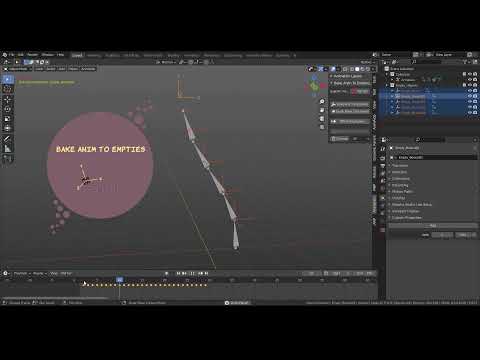
Video Tutorial for Bake Anim To Empties
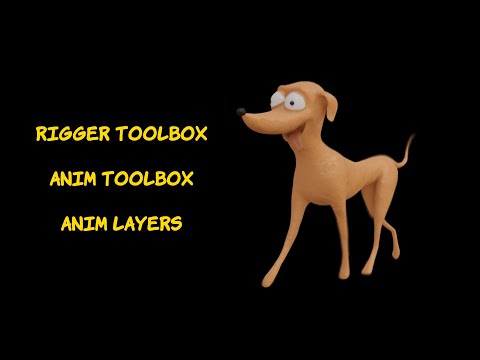
Video Overview for Anim Toolbox and Rigger Toolbox
Roadmap
More functions on Temp Controls module, such as:
- Adding smart bake option (using animation layer's smart bake module).
- a better solution then parent from cursor, that will include also the original parent/root movement in the temp setup
- Adding more temp control such as a quick basic ik setup. joining with riggertoolbox module
- Use Empty motion path for offseting bone motion paths.
and also
- Making offset an interactive slider, with an apply/cancel options.
- Push in and away from Camera Slider.
- Micro-values.
- Improved and editable motion trails.
- Make stuff look nicer and fancier. Add widgets for frame range selection.
- View only selected armature option (usefull when working with a lot of characters)
- New inbetweeners and blending options
- Auto breather using noise modifiers offsets
Installation
Standard Blender addons installation via the preferences
Usage
Automation tools for animation and rigging tasks
Support
https://www.patreon.com/animtoolbox
Authors and acknowledgment
Tal Hershkovich
License
GPL LICENSE
Project status
Work in progress