fidgetty
Widget library built on Fidget written in pure Nim and OpenGL rendered
Summary
| Latest Version | 0.4.1 |
|---|---|
| License | MIT |
| CI Status | Failing |
| Downloads | 0 |
| Last Indexed | 2026-09-02 07:20 |
Tags
Authors
- Jaremy Creechley
Installation
nimble install fidgetty
choosenim install fidgetty
git clone https://github.com/elcritch/fidgets
OS Compatibility
| Platform | Linux | macOS | Windows | FreeBSD | OpenBSD | NetBSD | Android | iOS | WASM | Embedded |
|---|---|---|---|---|---|---|---|---|---|---|
| fidgetty | ✓ | ✓ | ✓ | - | - | - | - | - | - | - |
Dependencies
| Package | Version | Optional |
|---|---|---|
| nim >= | 1.6.5 | No |
| pixie >= | 5.0.1 | No |
| cssgrid >= | 0.2.10 | No |
| supersnappy >= | 2.1.3 | No |
| staticglfw >= | 4.1.3 | No |
| typography >= | 0.7.14 | No |
| variant >= | 0.2.12 | No |
| opengl >= | 1.2.6 | No |
| zippy >= | 0.10.4 | No |
| patty >= | 0.3.4 | No |
| macroutils >= | 1.2.0 | No |
| cdecl >= | 0.7.5 | No |
| asynctools >= | 0.1.1 | No |
Source
| Repository | https://github.com/elcritch/fidgets |
|---|---|
| Homepage | https://github.com/elcritch/fidgets |
| Registry Source | nimble_official |
README
Fidgetty
NOTE: Checkout Figuro the successor to Fidgetty
Widget library built using a fork of Fidget written in pure Nim and OpenGL rendered.
Demo application in example/demo.nim:
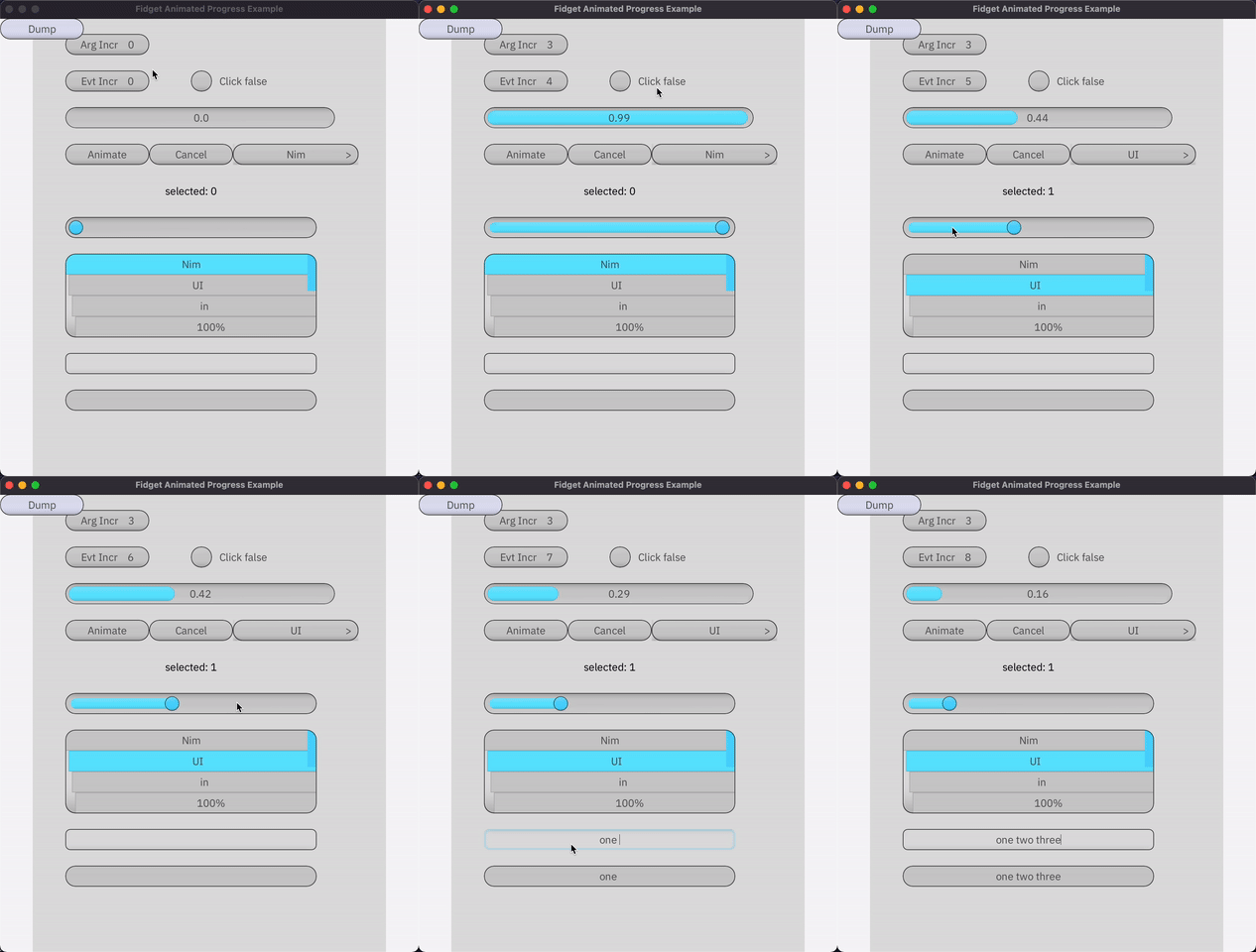
nimble install -d
nim c -r examples/demo.nim
Example widget and application:
import std/strformat, std/hashes
import fidgetty
loadFont("IBM Plex Sans", "IBMPlexSans-Regular.ttf")

fidgetty CounterButton:
  properties:
    label: string
  state:
    count: int

proc new*(_: typedesc[CounterButtonProps]): CounterButtonProps =
  new result
  fill palette.foreground

proc render*(
    props: CounterButtonProps,
    self: CounterButtonState
): Events[All]=
  clipContent true
  cornerRadius theme.cornerRadius
  onHover:
    highlight palette
  onClick:
    self.count.inc()
  text "counter button":
    boxSizeOf parent
    fill palette.text
    characters  fmt"label ({self.count})"
    textAutoResize tsHeight

type
  AppState* = ref object
    count1: int

proc exampleApp*() =
  ## defines a stateful app widget
  frame "main":
    font "IBM Plex Sans", 16, 200, 0, hCenter, vCenter
    let self = withState(AppState)

    CounterButton:
      centeredXY 8'em, 2'em
      onClick:
        echo "hi!"

startFidget(
  exampleApp,
  setup =
    when defined(demoBulmaTheme): setup(bulmaTheme)
    else: setup(grayTheme),
  w=640, h=400,
  uiScale=2.0
)